
TL;DR / Quick Summary
Cornerstone OnDemand has been a recognized name in enterprise learning management, but many organizations are now exploring alternatives that offer better user experiences, modern interfaces, and more flexible pricing models.
This guide examines the best Cornerstone OnDemand learning alternatives for 2026, with a detailed look at solutions like Calibr, TalentLMS, Docebo, and others that provide streamlined learning experiences without the complexity.
Whether you're seeking better customization, improved learner engagement, or more cost-effective options, we'll help you identify the right LMS software for your organization's unique needs.
What is a Learning Management System (LMS)?
A Learning Management System (LMS) is a digital platform used to create, manage, deliver, and track training programs within an organization.
It helps companies:
Deliver structured learning programs
Track employee progress and performance
Ensure compliance training
Scale learning across teams and locations
In 2026, LMS platforms are evolving beyond content delivery—focusing on personalization, analytics, and real business impact.
Why Look for Cornerstone OnDemand Learning Alternatives?
Cornerstone OnDemand has established itself as a comprehensive talent management suite with robust learning capabilities, extensive compliance tracking, and enterprise-grade features.
The platform offers a wide range of functionality including performance management, recruitment, and learning tools all in one ecosystem.
Cornerstone OnDemand Learning Has Comprehensive Features... But Has Limitations
However, several organizations find that Cornerstone OnDemand presents challenges that prompt them to explore other options.
The platform's complex interface can require significant training time for administrators and learners alike.
Implementation timelines often extend longer than anticipated, with some organizations reporting months-long deployment processes.
The pricing structure can be difficult to predict, particularly for mid-sized companies that may not need the full talent management suite.
Additionally, some users find the system feels dated compared to newer, more intuitive platforms that have emerged in recent years.
For companies seeking a more streamlined, user-friendly learning experience or those who need learning management without the broader talent suite, exploring alternatives has become a strategic priority.
Quick Comparison Table: Top 5 Cornerstone OnDemand Learning Alternatives
This is a quick snapshot—detailed insights for each platform are covered below.
LMS | Key Features | Pricing | User Rating | Why It's Better |
|---|---|---|---|---|
Calibr | AI-powered personalization, mobile-first design, advanced analytics, seamless integrations | Custom (scalable for all sizes) | 4.7/5 | Modern interface, faster implementation, superior user experience, flexible deployment |
TalentLMS | Easy setup, gamification, video conferencing, course marketplace | Starts at $69/month | 4.6/5 | Simpler learning curve, affordable pricing, quick deployment |
Docebo | AI capabilities, social learning, multi-domain support | Custom (enterprise-focused) | 4.4/5 | AI features, content marketplace, modern design |
Absorb LMS | Intuitive interface, engagement tools, analytics & reporting | Custom pricing | 4.5/5 | Clean user interface, analytics & reporting capabilities, |
SAP Litmos | Compliance-focused, content library, eCommerce integration | Starts at $4/user/month | 4.2/5 | Course library, compliance tools, straightforward setup |
Selecting the Right LMS 2026: Make the Smart Choice for Your Organization
The learning management system landscape has evolved dramatically, with organizations now prioritizing user experience, implementation speed, and measurable learning outcomes over simply checking feature boxes.
For a broader view of LMS market trends and replacement drivers, see the Brandon Hall Group insights on learning technology trends and LMS selection here: Brandon Hall Group Learning Trends and LMS Insights. Meanwhile, market forecasts from analysts project robust growth for learning platforms: the global LMS market is expected to expand strongly through the mid-2020s, with cloud-based and mobile-optimized solutions leading adoption as demand for digital learning accelerates.
According to research forecasting market size through 2026 and beyond, the overall learning management systems industry is on a multi-billion-dollar growth trajectory as enterprises and institutions invest in modern, scalable learning technologies.
As you evaluate alternatives to Cornerstone OnDemand, consider how each platform addresses not just your current requirements but your organization's evolving learning strategy.
1. Calibr
Calibr is a modern LMS designed to simplify learning management, combining a mobile-friendly experience with automation and personalization to support effective training delivery.
Key Features
AI-driven personalized learning paths that adapt to learner behavior, role, and progress to improve engagement and completion
Clean, intuitive interface that feels familiar and requires minimal training for both learners and administrators
Advanced analytics and real-time reporting to track engagement, performance, and skill gaps effectively
Seamless integrations with HR systems, productivity tools, and existing content platforms
Mobile-first experience with anytime access and offline learning capabilities
Rapid implementation with streamlined onboarding, enabling teams to go live within weeks
Built-in compliance tracking to manage certifications, deadlines, and regulatory training efficiently
What Are the Practical Pros and Cons of Absorb LMS?
Pros:
Exceptionally intuitive for both administrators and learners
Significantly faster time-to-value than enterprise alternatives
Transparent, predictable pricing that scales with your organization
Responsive customer support with dedicated success managers
Regular feature updates based on customer feedback
Strong mobile experience that drives higher engagement
Comprehensive analytics that demonstrate learning impact
Cons:
Calibr is relatively new compared to some legacy LMS platforms, which means the ecosystem is still growing.
Some advanced customization features are continuously evolving as we enhance the platform.
When Do Teams Usually Explore Calibr?
Organizations choose Calibr for its intuitive user experience, fast implementation, and ability to deliver personalized learning at scale. With AI-driven recommendations and real-time analytics, teams can create more relevant learning journeys while gaining clear insights into performance and progress.
It also reduces operational complexity with minimal setup, seamless integrations, and a flexible architecture that supports growth. This allows companies to improve learner engagement, deploy content faster, and maintain visibility into learning outcomes without heavy administrative effort.
2. TalentLMS
TalentLMS provides a cloud-based learning solution focused on simplicity and quick deployment. The platform is suitable for organizations seeking an uncomplicated approach to online training without extensive customization requirements.
Key Features
Get started with pre-configured templates and intuitive workflows that minimize implementation time
Gamification Elements such as badges, points, and leaderboards to encourage course completion
Built-in support for live training sessions
Access to third-party content providers
Organize learning by department or location with separate portals
Standard reports on completion rates and assessment scores
What Are the Practical Pros and Cons of TalentLMS?
Pros:
Simple learning curve for administrators
Transparent, tiered pricing structure
Adequate for basic training needs
Reasonable customer support
Mobile-responsive design
Cons:
Limited customization capabilities may not meet enterprise branding requirements
Analytics lack depth compared to platforms like Calibr
Fewer advanced features for complex learning programs
Interface feels functional rather than engaging
Integration options are basic for organizations with complex tech stacks
When Do Teams Usually Explore TalentLMS?
TalentLMS works well for small to mid-sized organizations with straightforward training requirements and limited IT resources.
The platform handles essential learning management functions competently, though organizations with complex learning strategies or those requiring deeper analytics may find the feature set limiting compared to more comprehensive alternatives.
3. Docebo
Docebo acts as an enterprise learning platform with artificial intelligence capabilities and social learning features. The system serves large organizations with multi-region learning requirements.
Key Features
Content suggestions based on user behavior patterns
Forums, collaborative spaces, and peer-to-peer knowledge sharing
Separate branded learning environments within one instance
Integration with external content providers
Deliver training to partners, customers, and external stakeholders
What Are the Practical Pros and Cons of Docebo?
Pros:
Good content marketplace partnerships
Modern interface design
Suitable for large, distributed organizations
Adequate mobile experience
Cons:
Pricing can be substantial for mid-sized organizations
Implementation complexity similar to other enterprise platforms
Setup and configuration can be time-intensive
Learning curve for administrators managing advanced features
Some users report that the interface, while modern, can feel overwhelming
Customer support response times vary based on plan level
When Do Teams Usually Explore Docebo?
Docebo serves organizations already committed to enterprise-level investment and complexity but seeking a more modern interface than Cornerstone.
However, companies prioritizing rapid deployment and user simplicity may find platforms like Calibr deliver better outcomes with fewer resources required.
4. Absorb LMS
Absorb LMS is an established learning management platform known for its polished interface and stable performance. It is commonly used by mid-market and enterprise organizations seeking a structured LMS with a set of standard learning management capabilities.
Key Feature
User-friendly administrative interface
Gamification, certificates, and social elements
Reporting tools suitable for operational tracking
Support for standard e-learning formats
Technical flexibility for custom integrations
Automate enrollments and notifications
What Are the Practical Pros and Cons of Absorb LMS?
Pros:
Intuitive administrative interface
Social learning features
Good reporting capabilities
Built-in social and engagement features
Cons:
Pricing structure can be complex with various add-ons
Limited AI & Automation Capabilities
Some features require additional configuration to match specific workflows
Mobile app functionality is adequate but not exceptional
Advanced features may require technical expertise to implement fully
Integration setup can be time-intensive for complex environments
When Do Teams Usually Explore Absorb LMS?
Absorb LMS is often evaluated by organizations looking for a reliable, traditional LMS with a focus on usability and standard feature coverage. It suits teams that prioritize platform stability and structured learning delivery.
However, organizations exploring advanced personalization should note that Absorb LMS currently offers limited AI-driven customization, and buyers should assess whether its cost, configuration effort, and level of automation align with their long-term scalability and modernization goals when compared to newer, AI-first platforms.
5. SAP Litmos
SAP Litmos focuses more on compliance training and rapid course deployment with an extensive built-in content library. The platform suits organizations with significant regulatory training requirements.
Key Features
Multiple compliance and skills courses
Tools for developing simple training modules
Automated reminders and certification management
Sell training to external audiences
Connect with common business systems
Points and leaderboards for engagement
What Are the Practical Pros and Cons of SAP Litmos?
Pros:
Large ready-made content library
Quick implementation for standard configurations
Good for organizations with heavy compliance requirements
Adequate reporting for tracking mandatory training
Cons:
Interface feels dated compared to newer platforms
Limited customization capabilities may not suit unique organizational needs
Analytics capabilities are basic
User experience is functional but not engaging
Advanced features require workarounds or additional tools
When Do Teams Usually Explore SAP Litmos?
SAP Litmos serves organizations primarily focused on compliance training and those wanting immediate access to pre-built course libraries.
However, companies seeking modern user experiences, advanced analytics, or highly customized learning journeys may find the platform limiting compared to other more flexible alternatives.
The L.E.A.R.N Framework: A Practical Model to Choose the Right LMS in 2026
Instead of comparing endless features, evaluate your LMS using these five dimensions:
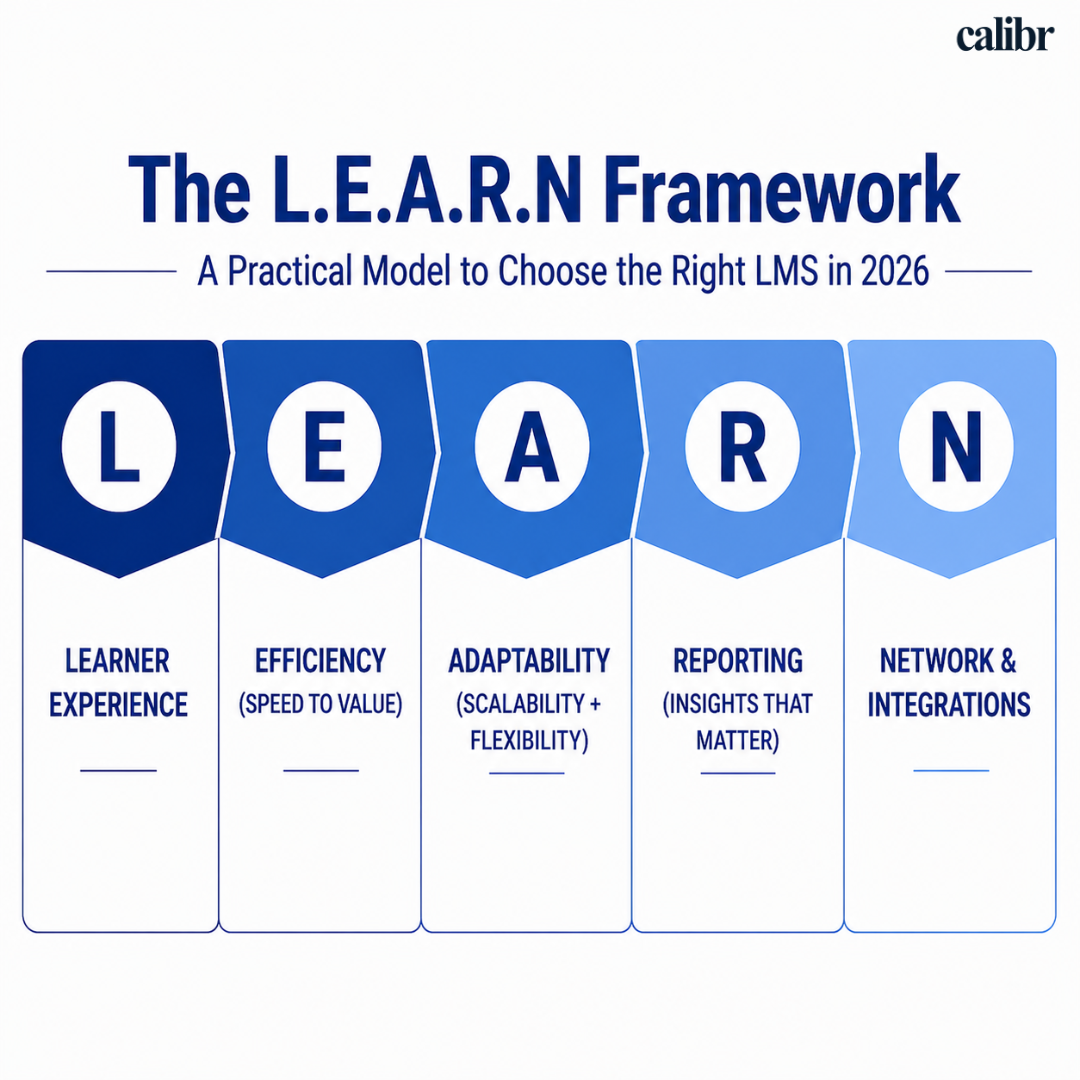
L — Learner Experience
This is the most critical factor. If learners don’t use the platform, nothing else matters.
A strong LMS should:
Feel as easy as using a mobile app
Require little to no training
Provide personalized content recommendations
Support learning on mobile and offline
What to check:
Can a new employee start learning without guidance?
Is navigation intuitive within 5 minutes?
What to consider:
If users need training to use the LMS, adoption will drop.
E — Efficiency (Speed to Value)
How quickly can your organization start seeing results?
Modern LMS platforms should:
Be implemented in weeks, not months
Require minimal IT dependency
Offer ready-to-use templates and workflows
What to check:
Time to launch (realistically, not promised)
Effort required for setup and onboarding
What to consider:
Long implementation cycles delay ROI and reduce momentum.
A — Adaptability (Scalability + Flexibility)
Your LMS should grow with your organization.
It should:
Support different learning formats (videos, SCORM, live sessions)
Adapt to multiple teams, roles, or regions
Allow easy updates without technical complexity
What to check:
Can it handle future needs (AI, personalization, new formats)?
Does it support both small teams and enterprise scale?
What to consider:
Rigid systems that require heavy customization for small changes.
R — Reporting (Insights that Matter)
Tracking completion rates is not enough anymore.
A strong LMS should provide:
Engagement insights (who is actually learning)
Skill gap analysis
Learning impact on performance
What to check:
Can you measure ROI of learning?
Are insights actionable or just data dumps?
What to consider:
If reports are hard to interpret or lack depth.
N — Network & Integrations
Your LMS should not work in isolation.
It must:
Integrate with HR systems, productivity tools, and content platforms
Fit into your existing workflow
Reduce manual work
What to check:
Does it connect easily with your current tools?
Are integrations pre-built or complex?
What to consider:
Disconnected systems create extra admin work.
How to Use the L.E.A.R.N Framework
You can turn this into a quick scoring model:
Factor | Score (1–5) |
|---|---|
Learner Experience | |
Efficiency | |
Adaptability | |
Reporting | |
Network & Integrations |
Interpretation:
20–25 → Strong LMS fit
15–19 → Good but with gaps
Below 15 → Likely to create friction
Frequently Asked Questions (FAQ's)
What is the best Cornerstone OnDemand learning alternative?
There is no single “best” alternative—it depends on your organization’s needs. Platforms like Calibr LMS, TalentLMS, Docebo, Absorb LMS, and SAP Litmos each offer different strengths such as ease of use, scalability, analytics, or compliance support.
The right choice should align with your priorities, including user experience, implementation speed, reporting capabilities, and how well the platform integrates with your existing systems.
Why are companies switching LMS platforms?
Companies switch to improve user experience, reduce implementation time, and gain better insights into learning performance.
How do I choose the right LMS?
Use a structured approach like the L.E.A.R.N framework—evaluate learner experience, implementation speed, scalability, reporting, and integrations.
What features should a modern LMS have?
A modern LMS should include personalization, mobile access, analytics, integrations, and compliance tracking.
How long does LMS implementation take?
Most modern LMS platforms can be implemented within a few weeks, while complex systems may take several months.
Is LMS important for compliance training?
Yes. LMS platforms help track certifications, automate reminders, and ensure regulatory training is completed on time.
What is the biggest mistake when choosing an LMS?
Focusing only on features instead of usability and adoption, which leads to low engagement.
Choosing the Best LMS for 2026: Final Thoughts
Selecting the right learning management system plays a critical role in how effectively organizations build skills, support compliance, and translate learning investments into business impact.
While platforms like Cornerstone OnDemand have long supported enterprise learning, expectations have shifted. Today’s organizations demand intuitive experiences, faster time-to-value, and learning systems that deliver measurable outcomes.
Platforms like Calibr reflects this next generation of learning management. With an intuitive user experience, AI-driven personalization, built-in analytics, and a modern architecture designed for agility, the platform enables organizations to move beyond traditional learning delivery.
Whether you are launching a structured learning program for the first time or modernizing from a legacy LMS, Calibr offers the flexibility, insight, and usability required to drive meaningful and sustainable learning outcomes.
Ready to Transform Your Learning Strategy?


Vivetha is a digital marketing professional specializing in content marketing and SEO. She focuses on developing optimized, high-quality content that improves search visibility, supports brand objectives, and drives measurable results. With a structured and analytical approach, she ensures content aligns with business and audience needs.