
Looking for Zoho Learn alternatives that go beyond basic knowledge management? Here’s a breakdown of the top LMS platforms in 2026, highlighting their strengths, use cases, and how they support growing training needs.
TL;DR / Quick Summary
Choosing the right LMS in 2026 goes beyond comparing features—it requires evaluating scalability, user experience, automation, analytics, and integration capabilities.
In this guide, we explored the limitations of Zoho Learn, compared leading alternatives, and introduced the SMART-LMS framework to help you assess platforms more effectively. We also covered common mistakes to avoid, such as focusing only on price, ignoring scalability, or overlooking integrations.
The best LMS ultimately depends on your organization’s needs, growth plans, and how strategically you want to approach employee training.
What is Learning Management System
A Learning Management System (LMS) is a software platform used by organizations to create, manage, deliver, and track training programs. It helps companies provide structured learning, monitor employee progress, and measure training effectiveness—all in one place. LMS platforms are commonly used for onboarding, skill development, compliance training, and continuous learning.
Why Look for Zoho Learn Alternatives
What is Zoho Learn
Zoho Learn is a knowledge management and training platform designed to help organizations create, organize, and share internal documentation and learning resources.
As part of the broader Zoho ecosystem, it integrates well with other Zoho products and offers features like collaborative content creation, structured manuals, quizzes, and basic analytics.
For companies already invested in Zoho's suite of business tools, it provides a convenient option for managing training materials and internal knowledge bases.
Where Zoho Learn Falls Short for Growing Organizations
However, Zoho Learn has notable limitations that prompt organizations to explore alternatives.
The platform offers core learning functionalities but may lack some advanced capabilities, such as sophisticated course authoring tools, comprehensive compliance tracking, and a wide range of third-party integrations beyond the Zoho ecosystem.
Its reporting and analytics features are relatively basic compared to more specialized LMS platforms, which can be a constraint for organizations that require deeper insights into learner performance and training effectiveness.
As organizations scale, some may find the platform’s customization and scalability options less aligned with evolving and complex learning needs.
Additionally, while the interface is functional, it may not provide the level of modern, intuitive user experience expected by today’s learners. Limited gamification and engagement features can also impact learner interaction and overall training experience.
For organizations seeking a more flexible, scalable, and feature-rich learning platform—particularly those prioritizing advanced analytics, broader integrations, or specialized compliance requirements—evaluating dedicated LMS alternatives can be a strategic consideration.
Quick Comparison Table: Top 6 Zoho Learn Alternatives
LMS | Key Features | Pricing | User Rating | Why It's Better |
|---|---|---|---|---|
Calibr | AI-powered personalization, comprehensive analytics, extensive integrations, mobile-first design, automated workflows | Custom pricing based on needs | 4.7/5 (G2) | Offers intelligent learning paths, robust reporting, seamless third-party integrations, and scales effortlessly with business growth |
TalentLMS | Cloud-based delivery, gamification, e-commerce capabilities, multi-language support | Starts at $69/month | 4.6/5 (Capterra) | Provides straightforward setup and user-friendly interface with gamification features |
Docebo | AI-powered learning, social learning features, extensive integrations, content marketplace | Custom pricing | 4.4/5 (G2) | Offers enterprise-grade features and content library |
360Learning | Collaborative learning, peer-to-peer knowledge sharing, rapid course creation | Starts at custom pricing | 4.6/5 (G2) | Focuses on collaborative learning experiences and quick content development |
Absorb LMS | Intelligent learning platform, e-commerce functionality, extensive reporting, mobile app | Custom pricing | 4.7/5 (Capterra) | Delivers Reporting tools and flexible deployment options |
LearnUpon | Multi-portal architecture, white-labeling, SCORM compliance, detailed analytics | Custom pricing | 4.7/5 (G2) | Enables separate branded portals for different audiences with compliance features |
Selecting the Right LMS 2026: Make the Smart Choice for Your Organization
Selecting the right learning management system is essential — the right LMS can enhance training efficiency, ensure compliance, and boost employee engagement, while the wrong choice can lead to wasted resources and effort.
Research indicates that over 72% of organizations find an LMS provides a competitive edge by streamlining training processes and improving workforce productivity. As demand grows for flexible, scalable, and user-friendly learning solutions, the LMS market is projected to expand significantly over the coming years.
For 2026, organizations should focus on platforms that offer intuitive usability, robust scalability, advanced analytics, seamless integrations, and transparent pricing.
1. Calibr
Calibr is an AI-powered learning management system built for organizations seeking scalable, automated, and data-driven learning experiences.
Key Features
AI-Powered Personalized Learning Paths: Calibr uses AI to recommend relevant personalized learning paths based on role, skills, and progress, adapting journeys in real time instead of relying on static course assignments.
Advanced Analytics & Reporting: Real-time dashboards and custom reports track engagement, skill growth, and ROI, helping L&D teams link learning outcomes to business goals.
Strong Integration Ecosystem: Seamless integrations with leading HR, collaboration, CRM, and content tools create a connected learning experience without data silos.
Mobile-First Learning: Native iOS and Android apps with offline mobile access ensure consistent learning experiences across devices, supporting today’s flexible workforce.
Automated Workflows & Compliance: Automates enrollments, certifications, reminders, and compliance tracking, reducing manual effort and administrative overhead.
Flexible Course Authoring & Content Management: Built-in course authoring tools support rapid course creation with interactive formats and compatibility with SCORM, xAPI, and multimedia content.
Scalable & Customizable Platform
Designed to scale from small teams to large enterprises, with white-labeling, role-based access, and configurable interfaces.
Social & Collaborative Learning: Discussion forums, peer learning, and user-generated content encourage knowledge sharing and continuous learning culture.
Pros
Faster training delivery with reduced manual effort
Improved learner engagement and outcomes
Scales efficiently for growing and enterprise teams
AI-driven insights enable better decision-making and ROI tracking
Reduced administrative overhead through automation and smart workflows
Strong compliance support with automated tracking and certifications
Cons:
Calibr is relatively new compared to some legacy LMS platforms, which means the ecosystem is still growing.
Some advanced customization features are continuously evolving as we enhance the platform.
When Do Teams Usually Explore Calibr?
Teams typically explore Calibr when their learning needs move beyond basic training and require a more scalable, data-driven approach. Features like AI-powered personalization, automated workflows, and advanced analytics help transform learning into a more strategic function.
With deeper integrations, a mobile-first experience, stronger compliance controls, and scalable architecture, Calibr supports growing and enterprise teams more effectively—improving engagement, closing skill gaps, and providing clearer visibility into training ROI.
Take Zoho Learn for example—while it offers basic AI-assisted course creation, Calibr Craft enables L&D teams to build more comprehensive, engaging courses in minutes.
2. TalentLMS
TalentLMS is a cloud-based learning platform designed for organizations that value simplicity and fast setup. It offers essential LMS features in a straightforward interface, making it easy to launch and manage basic training programs
The platform is generally suitable for teams that want a functional solution without extensive configuration or advanced learning capabilities.
Key Features
Cloud-based course delivery with a simple and quick setup
Built-in gamification features such as points, badges, and leaderboards
E-commerce functionality for selling courses to external learners
Multi-language support for diverse audiences
Mobile apps available for iOS and Android
Basic course authoring tools for creating training content
What Are the Practical Pros and Cons of Talent LMS?
Pros:
Quick implementation with minimal technical expertise required
Intuitive interface accessible to non-technical administrators
Gamification features that encourage learner participation
Flexible pricing tiers suitable for different organization sizes
Solid customer support with helpful documentation
Cons:
Reporting capabilities are functional but lack depth for complex analytics needs
Customization options are somewhat limited compared to enterprise platforms
Integration ecosystem, while adequate, doesn't match more comprehensive solutions
Some users report occasional performance issues with larger user bases
When Do Teams Usually Explore Talent LMS?
TalentLMS works well for small to medium-sized businesses that want a straightforward LMS and fast implementation without added complexity. Teams without dedicated IT or L&D resources often appreciate its clean interface and ease of use.
However, organizations that require advanced analytics, deep customization, complex integrations, or long-term scalability may find TalentLMS limiting as their learning needs evolve.
3. Docebo
Docebo is used by enterprise organizations that manage complex, large-scale training initiatives. It is commonly adopted by companies operating across multiple departments or regions that require structured learning programs and centralized management. The platform is positioned for organizations with mature L&D operations rather than basic training needs.
Key Features
AI-based content tagging and learning recommendations
Social learning tools, including user-generated content and discussion forums
Access to a third-party content marketplace
Support for multiple deployment models
Integrations with enterprise systems
What Are the Practical Pros and Cons of Docebo?
Pros:
AI-driven recommendations
Content marketplace expands learning options
Suitable for large, distributed organizations with complex needs
Social learning features foster knowledge sharing culture
Cons:
Higher price point may exceed budgets for smaller organizations
Implementation complexity requires significant planning and resources
Interface can feel overwhelming for users accustomed to simpler platforms
Some features require additional modules at extra cost
When Do Teams Usually Explore Docebo?
Docebo can be a suitable option for large enterprises that need broad functionality and content scalability beyond entry-level platforms like Zoho Learn. That said, its complexity, pricing structure, and implementation effort may be more than what smaller teams or organizations with simpler learning requirements need.
4. 360Learning
360Learning focuses on collaborative, peer-to-peer learning as a core approach. The platform is designed to help organizations capture internal knowledge by enabling subject matter experts to contribute directly to learning content and share expertise across teams.
Key Features
Collaborative course authoring for subject matter experts
Peer-to-peer learning tools such as discussions and feedback
Support for blended learning (self-paced and instructor-led)
User contribution and knowledge-sharing features
What Are the Practical Pros and Cons of 360 Learning?
Pros:
Rapid content creation empowers subject matter experts
Collaborative features encourage organizational knowledge sharing
Modern interface appeals to contemporary learners
Facilitates bottom-up learning culture development
Cons:
Less suitable for organizations requiring traditional, top-down training structures
Limited AI and Customizable options
Compliance tracking features are present but not as comprehensive as specialized platforms
Integration options, while functional, are more limited than some competitors
May require cultural shift for organizations accustomed to formal training programs
When Do Teams Usually Explore 360 Learning?
360Learning may suit organizations that prioritize social learning and internal knowledge sharing over structured, top-down training programs
. However, organizations that require advanced analytics, deep customization, or highly automated compliance workflows may find its focus on collaboration limiting for broader enterprise learning needs.
5. Absorb LMS
Absorb LMS offers a balanced mix of reporting depth and flexible deployment options, making it suitable for organizations with specific analytics, compliance, or hosting requirements. The platform is used across multiple industries and aims to combine functionality with a relatively straightforward user experience..
Key Features
Reporting dashboards for tracking learner progress
Scheduled reports to review course performance
Standard AI-based course recommendations
Built-in e-commerce for external course sales and enrollments
Native mobile apps with offline learning support
What Are the Practical Pros and Cons of Absorb LMS?
Pros:
Flexible deployment options including cloud and on-premise configurations
User interface balances functionality with accessibility
Integration capabilities with enterprise systems
Customer support and implementation assistance
Cons:
Pricing structure can become complex with various add-on features
Initial configuration requires careful planning for optimal setup
Some advanced features have learning curves for administrators
Mobile app functionality, while present, could be enhanced
Relatively limited AI and Automation capabilities
When Do Teams Usually Explore Absorb LMS?
Absorb LMS can work well for organizations that need stronger reporting and compliance tracking than Zoho Learn provides, especially when hosting flexibility is important.
However, teams looking for highly intuitive authoring tools or extensive personalization without configuration may find the platform more complex than necessary for simpler learning programs.
6. LearnUpon
LearnUpon focuses on multi-portal learning, allowing organizations to run separate training environments for different audiences. It is commonly used by companies that need to manage employee, customer, and partner training in parallel.
Key Features
Multi-portal setup for different audiences with separate content and users
Basic white-labeling for branding and portal customization
Support for common content standards such as SCORM
Reporting to track learner progress across portals
Automated workflows for enrollment, notifications, and certifications
What Are the Practical Pros and Cons of Learn Upon?
Pros:
Multi-portal architecture effectively manages diverse learner audiences
Compliance tracking and certification management
Intuitive administrative interface simplifies portal management
Customer support team available
Cons:
Pricing increases with additional portals and features
Limited AI and Automation capabilities
Content authoring tools are functional but not as extensive as specialized platforms
Integration capabilities, while adequate, are more limited than some competitors
Some users report desires for enhanced mobile app features
When Do Teams Usually Explore Learn Upon?
LearnUpon can suit organizations training multiple audience groups with distinct needs.
However, managing multiple portals can add complexity, and organizations looking for deeper personalization or advanced analytics may find limitations as learning programs scale.
Common Mistakes to Avoid When Choosing an right LMS
Selecting the right corporate learning platform can be challenging. Avoid these common mistakes to ensure long-term success:
Choosing based only on price — lower-cost tools may lack scalability, analytics, or integrations, leading to higher long-term costs
Ignoring future scalability — tools that work today may fail as learner numbers and training complexity grow
Overlooking integrations — lack of connection with HR, CRM, or collaboration tools creates workflow friction
Focusing on features, not outcomes — more features don’t always translate to better engagement or ROI
Underestimating user experience — poor usability reduces adoption, even if the platform is powerful
Not considering compliance needs early — missing compliance features can create risks in regulated industries
Skipping trials or real user testing — demos may not reflect actual usability for your team
The SMART-LMS Framework: How to Choose the Right Zoho Learn Alternative
To evaluate the right LMS in 2026, use the SMART-LMS framework — a simple way to assess platforms based on what actually impacts long-term success.
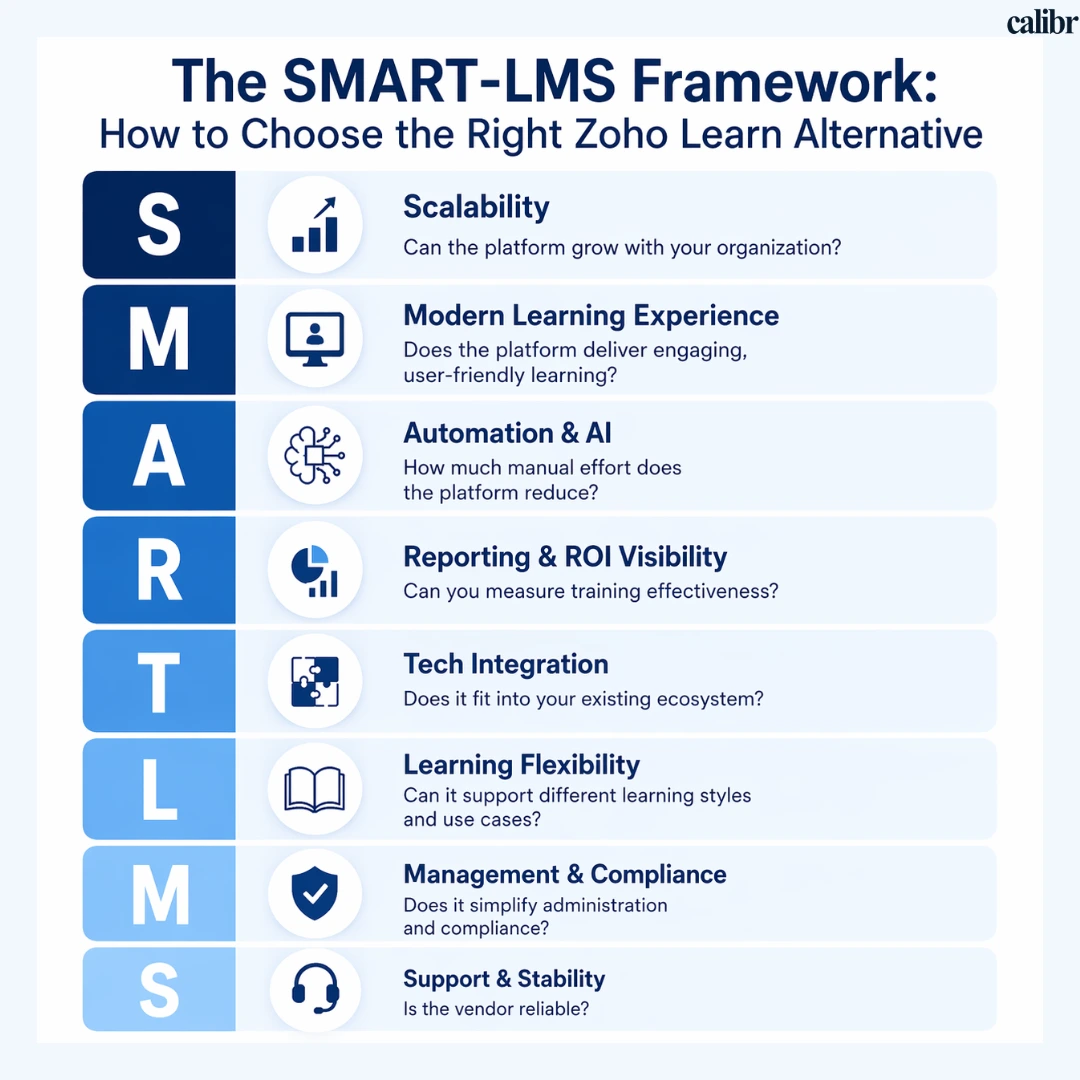
S — Scalability
Can the platform grow with your organization?
Look for systems that support increasing learners, multiple teams, and evolving training needs without requiring migration later.
M — Modern Learning Experience
Does the platform deliver engaging, user-friendly learning?
A strong LMS should offer intuitive interfaces, mobile access, and interactive learning formats that improve adoption and completion rates.
A — Automation & AI
How much manual effort does the platform reduce?
AI-powered recommendations, automated workflows, and smart learning paths can significantly improve efficiency and personalization.
R — Reporting & ROI Visibility
Can you measure training effectiveness?
Advanced analytics, real-time dashboards, and ROI tracking are essential for linking learning outcomes to business impact.
T — Tech Integration
Does it fit into your existing ecosystem?
Seamless integrations with HRIS, CRM, collaboration tools, and content platforms reduce friction and improve workflows.
L — Learning Flexibility
Can it support different learning styles and use cases?
The platform should support self-paced, instructor-led, and blended learning along with various content formats.
M — Management & Compliance
Does it simplify administration and compliance?
Look for features like automated certifications, role-based access, and audit-ready reporting.
S — Support & Stability
Is the vendor reliable?
Strong customer support, consistent updates, and a clear product roadmap ensure long-term success.
How to Use This Framework
When comparing Zoho Learn alternatives, evaluate each platform against these 7 factors instead of focusing only on features. This ensures you choose a solution that not only meets current needs but also supports future growth.
Quick Decision Guide: Choose the Right LMS Faster
If you're evaluating a corporate learning platform, this quick table helps you match tools to your needs:
If you want… | Choose this LMS |
|---|---|
AI-powered, scalable employee training software | Calibr |
Simple setup and ease of use | TalentLMS |
Enterprise-grade features and large-scale training | Docebo |
Collaborative, peer-driven learning | 360Learning |
Reporting and compliance tracking | Absorb LMS |
Multi-audience (employee + customer) training | LearnUpon |
Quick Tip
The best LMS isn’t the one with the most features—it’s the one that aligns with your organization’s size, goals, and training strategy.
Frequently Asked Questions (FAQ's)
What’s the key difference between Calibr and Zoho Learn?
The main difference lies in capability and scalability: Zoho Learn provides a simple, integrated solution within its ecosystem, while Calibr offers AI-powered learning, advanced analytics, and broader integrations to support more scalable, data-driven training needs.
Can LMS platforms integrate with HR and business tools?
Most modern LMS platforms integrate with HRIS, CRM, and collaboration tools. Strong integrations help streamline workflows and create a more connected learning experience.
What should I prioritize when choosing between these Zoho Learn alternatives?
Prioritize factors aligned with your strategic objectives: scalability if you're growing rapidly, analytics if you need to demonstrate ROI, integrations if you use diverse business tools, compliance features if you're in regulated industries, and user experience if adoption is a concern. The best LMS 2026 solution balances these factors against your specific context rather than simply offering the most features.
How long does it take to migrate from Zoho Learn to another LMS?
Migration timelines vary based on content volume and integrations, but most organizations complete the process within 2 to 4 weeks. This typically includes exporting existing content, configuring the new platform, and running a pilot before full rollout.
Is Zoho Learn free?
Zoho Learn offers a limited free plan with basic features. However, most organizations require paid plans to access advanced capabilities like integrations, automation, and detailed analytics, which are essential for scaling training programs.
What features should I look for in an LMS in 2026?
Key features include AI-powered personalization, automation, advanced reporting, seamless integrations, mobile learning, and strong compliance support. These ensure better engagement and measurable training outcomes.
Choosing the Best LMS for 2026: Final Thoughts
Selecting the best LMS in 2026 requires balancing usability, scalability, and measurable impact. While Zoho Learn works for basic knowledge sharing, growing organizations often need a more advanced, AI-powered LMS that can support evolving training needs and deliver real business outcomes.
Modern platforms now go beyond content delivery—offering automation, deeper analytics, and personalized learning experiences that improve engagement and efficiency across teams. The right choice depends on your priorities, whether that’s simplicity, collaboration, compliance, or data-driven decision-making.
Take the Next Step with Calibr
If you're looking to move beyond basic training tools and implement a more intelligent, scalable learning solution, Calibr offers the capabilities to support long-term growth.


Vivetha is a digital marketing professional specializing in content marketing and SEO. She focuses on developing optimized, high-quality content that improves search visibility, supports brand objectives, and drives measurable results. With a structured and analytical approach, she ensures content aligns with business and audience needs.