
TL;DR / Quick Summary
Covers top Docebo alternatives for 2026
Highlights shift toward AI-driven, personalized, outcome-based learning
Emphasizes need for simplicity, faster deployment, and scalability
Focus on measurable ROI and business impact, not just features
Other platforms suit specific needs like enterprise scale, budget, compliance, or course selling
Best LMS depends on organization goals, team size, and learning strategy
Why Look for Docebo Alternatives?
Understanding Docebo
Docebo has established itself as a prominent player in the enterprise learning management space, offering a cloud-based LMS with artificial intelligence capabilities, content libraries, and reporting features.
The platform serves thousands of organizations worldwide and has built a reputation for handling complex learning ecosystems.
Where Docebo Falls Short?
High Cost Barrier
Pricing scales quickly with users and features, making it less suitable for growing teams.Complex Setup & Admin Overload
Requires time, training, and technical support to manage efficiently.Limited Flexibility for Custom Use Cases
Custom workflows and deep personalization are not always easy to implement.Reporting Can Feel Fragmented
Advanced insights often require manual configuration or add-ons.UI Learning Curve for New Users
Interface is powerful but not always intuitive for first-time users.
Quick Comparison Table: Top 7 Docebo Alternatives
This is a quick summary. Detailed breakdown of each platform is provided below.
LMS | Key Features | Pricing | User Rating | Why It's Better |
|---|---|---|---|---|
Calibr | AI-powered personalization, Advanced analytics, White-label customization, Mobile-first design | Starting at $3/user/month | 4.8/5 | Superior AI capabilities, transparent pricing, exceptional customization, intuitive UX |
TalentLMS | Cloud-based, Course creation tools, Gamification, Multi-tenancy | Starting at $69/month | 4.6/5 | Simple setup, affordable for SMBs, straightforward interface |
360Learning | Collaborative learning, Peer-to-peer training, Social learning features | Custom pricing | 4.5/5 | Strong collaborative features, modern social learning approach |
Absorb LMS | Enterprise scalability, Advanced reporting, Compliance tracking | Custom pricing | 4.4/5 | compliance-heavy industries, robust reporting |
LearnUpon | Multi-portal architecture, White-labeling, Client training focus | Starting at $599/month | 4.6/5 | Ideal for customer education, strong multi-tenant capabilities |
Tovuti LMS | All-in-one platform, Built-in content authoring, Live classes | Starting at $500/month | 4.5/5 | Comprehensive feature set, good content creation tools |
iSpring Learn | PowerPoint integration, Rapid course development, Video assessments | Starting at $2.82/user/month | 4.6/5 | Excellent for PowerPoint users, affordable, quick deployment |
Selecting the Right LMS 2026: Make the Smart Choice for Your Organization
In 2025, more than 83% of companies worldwide reported using a Learning Management System (LMS) to run employee training, compliance, and upskilling programs — underlining how essential LMS platforms are today.
As the market rapidly evolves — with increasing adoption of AI, mobile learning, and cloud‑based delivery — organizations must choose their LMS carefully to stay competitive.
Selecting the right LMS in 2026 isn’t just about functionality: it’s a strategic decision that shapes learner experience, scalability, and long-term training ROI.
1. Calibr
Calibr is a modern learning management system designed to help organizations deliver effective and scalable learning experiences. It combines AI-driven capabilities with an intuitive interface, enabling teams to manage training, track skill development, and measure learning outcomes without the complexity often associated with traditional LMS platforms.
Key Features
AI-driven skill intelligence that identifies gaps and maps capabilities in real time
Hyper-personalized learning journeys tailored to roles, performance, and career goals
Outcome-focused learning aligned directly with business KPIs and workforce impact
Advanced analytics & insights that clearly track progress, engagement, and ROI
Seamless enterprise integrations across HRMS, CRM, and existing tech stack
Enterprise-grade scalability built for growing and evolving organizations
White-labeling capabilities to deliver fully branded learning experiences
Built-in compliance management to streamline regulatory and mandatory training
Mobile-first learning experience enabling anytime, anywhere access and engagement
What Are the Practical Pros and Cons of Calibr?
Pros:
Transparent, affordable pricing structure that scales with your organization
Exceptional user interface requiring minimal training for administrators and learners
Industry-leading AI personalization that dramatically improves learning outcomes
Outstanding customer support with dedicated success managers
Rapid implementation timeframes (typically 2-4 weeks for full deployment)
Regular platform updates and feature enhancements based on customer feedback
Strong security and data privacy measures with SOC 2 Type II certification
Mobile-first learning experience enabling anytime, anywhere access and engagement
Cons:
Relatively newer platform compared to legacy competitors (though this means modern architecture)
Some advanced enterprise features still in development (roadmap is transparent and customer-driven)
Smaller third-party marketplace compared to established platforms (though native features often eliminate this need)
When companies prefer Calibr?
Organizations choose Calibr for its ease of use and intelligent, AI-driven learning experience. It enables personalized learning paths, skill mapping, and faster onboarding, helping employees learn more effectively while improving overall adoption.
It also offers transparent pricing, strong customization, built-in compliance, and advanced analytics to track real business impact. With a mobile-first design and seamless integrations, Calibr provides a scalable and efficient solution for modern learning needs.
2. Talent LMS
TalentLMS is a cloud-based LMS designed for small and medium-sized businesses seeking a simple, user-friendly platform. It prioritizes ease of use, rapid deployment, and core training functionality without requiring extensive technical expertise though it's AI-powered features are limited compared to next-generation LMS platforms.
Key Features
Intuitive course creation with drag-and-drop functionality
Gamification features
Built-in video conferencing for live training sessions
Automated notifications and reminders
Basic reporting and analytics
What Are the Practical Pros and Cons of Talent LMS?
Pros:
Simple setup and administration
Affordable pricing for smaller organizations
Clean, modern interface
Customer support available
Cons:
Limited advanced features compared to enterprise platforms
Customization options are somewhat restricted
Reporting capabilities lack depth for complex analysis
AI and personalization features are basic
Scalability concerns for rapidly growing organizations
When companies prefer TalentLMS?
TalentLMS is ideal for small to medium-sized businesses seeking a simple, easy-to-use LMS for employee training and onboarding. It focuses on quick deployment and straightforward administration without requiring extensive technical expertise, but it may lack advanced features needed for large enterprises or complex learning programs.
3. 360Learning
360Learning focuses on collaborative and social learning, enabling employees to create and share knowledge directly. The platform empowers subject matter experts across the organization, making training more timely, relevant, and engaging but it may be less suitable for organizations requiring highly structured, compliance-driven training programs.
Key Features
Collaborative course authoring tools for non-instructional designers
Peer review and feedback mechanisms
Social learning features including discussions and knowledge sharing
Mobile learning capabilities
Integration with common business tools
What Are the Practical Pros and Cons of 360 Learning?
Pros:
Innovative approach to decentralized content creation
Strong social and collaborative features
Modern, engaging user interface
Encourages knowledge sharing culture
Good for organizations with distributed expertise
Cons:
Requires cultural buy-in to collaborative learning model
Less suitable for formal compliance training
Pricing can be unclear and negotiations required
Quality control challenges with decentralized content creation
Analytics could be more comprehensive
When companies prefer 360 Learning?
360Learning is more suitable for organizations focused on collaborative learning and peer-to-peer knowledge sharing but it might be less suited for companies needing highly structured, compliance-focused training programs.
4. Absorb LMS
Absorb LMS serves organizations in regulated industries that need compliance tracking and reporting and scalable training for large teams, but it may be more complex and costly for smaller organizations with simpler training needs.
Key Features
Compliance and certification tracking
Reporting and analytics suite
Automated enrollments and notifications
E-commerce capabilities for monetizing training
Detailed audit trails and reporting
What Are the Practical Pros and Cons of Absorb LMS?
Pros:
Suits highly regulated industries
Reporting and Analytics features
Handles large user bases effectively
Security and compliance certifications
Customer support available
Cons:
Pricing is on the higher end, closer to Docebo
Interface can be complex for new users
Implementation timeline can be lengthy
Customization may require technical expertise
Some features require additional modules
When companies prefer Absorb LMS?
Absorb LMS suits enterprises in regulated industries such as healthcare, finance, or manufacturing that need robust compliance tracking and detailed reporting but Its cost and complexity may be high for smaller organizations.
5. LearnUpon
LearnUpon is ideal for organizations managing multiple audiences—employees, customers, or partners—through separate portals with distinct branding and content though it's multi-portal setups can increase administrative complexity.
Key Features
Multi-portal architecture for different audiences
Automated enrollment and user management
Standard reporting across all portals
Multi-language support
Mobile-responsive design
What Are the Practical Pros and Cons of LearnUpon?
Pros:
Multi-portal/tenancy capabilities
Supports customer education and onboarding
White-labeling options for branding
Customer support available
Cons:
Pricing increases significantly with multiple portals
AI and personalization features are limited
User interface could be more modern
Course authoring tools are basic
Some advanced features require custom development
When companies prefer LearnUpon?
LearnUpon is suited for organizations managing multiple external audiences—customers, partners, or franchisees—through separate portals. The platform simplifies administration across groups, though it may be less ideal for organizations seeking advanced AI personalization or internal employee-focused training.
6. Tovuti LMS
Tovuti suits organizations seeking an all-in-one platform that combines course management, content creation, virtual classrooms, and engagement tools. However, smaller teams or those needing only basic LMS features may find the platform more complex than necessary.
Key Features
Built-in content authoring tools
Integrated virtual classroom functionality
Gamification and social learning features
Course marketplace and content library
Interactive assessments and quizzes
What Are the Practical Pros and Cons of Tovuti LMS?
Pros:
Content creation capabilities
Engaging learner experience
Regular feature updates
Customer support available
Cons:
Can be complex due to broad feature set
Pricing is mid-to-high range
Some features feel less polished than specialized tools
Learning curve for administrators
Customization depth varies by feature
When companies prefer Tovuti LMS?
Tovuti serves as an alternative for organizations seeking an all-in-one platform that combines course management, content creation, and live training—reducing the need for multiple vendors. However, for advanced capabilities such as AI-driven
7. iSpring Learn
iSpring Learn suits organizations using existing PowerPoint content and needing quick course deployment. It provides basic LMS functionality and simple course creation,but lacks advanced AI personalization or in-depth analytics.
Key Features
PowerPoint to e-learning conversion
Built-in course authoring suite
Video assessment and recording tools
Mobile learning app
Basic reporting and tracking
What Are the Practical Pros and Cons of iSpring Learn?
Pros:
Course creation from PowerPoint directly
User-friendly for non-technical creators
Good mobile learning experience
Quick implementation
Cons:
Limited advanced LMS features
Basic analytics and reporting
Minimal AI or personalization capabilities
Customization options are restricted
Better suited for simple course structures
When companies prefer iSpring Learn?
iSpring Learn is suited for organizations focused on quickly deploying existing PowerPoint-based training content at a lower cost. It provides a straightforward, budget-friendly LMS solution but may lack advanced AI-driven personalization and in-depth analytics offered by other platforms.
The ALIGN-LMS Framework
A smarter way to evaluate LMS platforms beyond just features
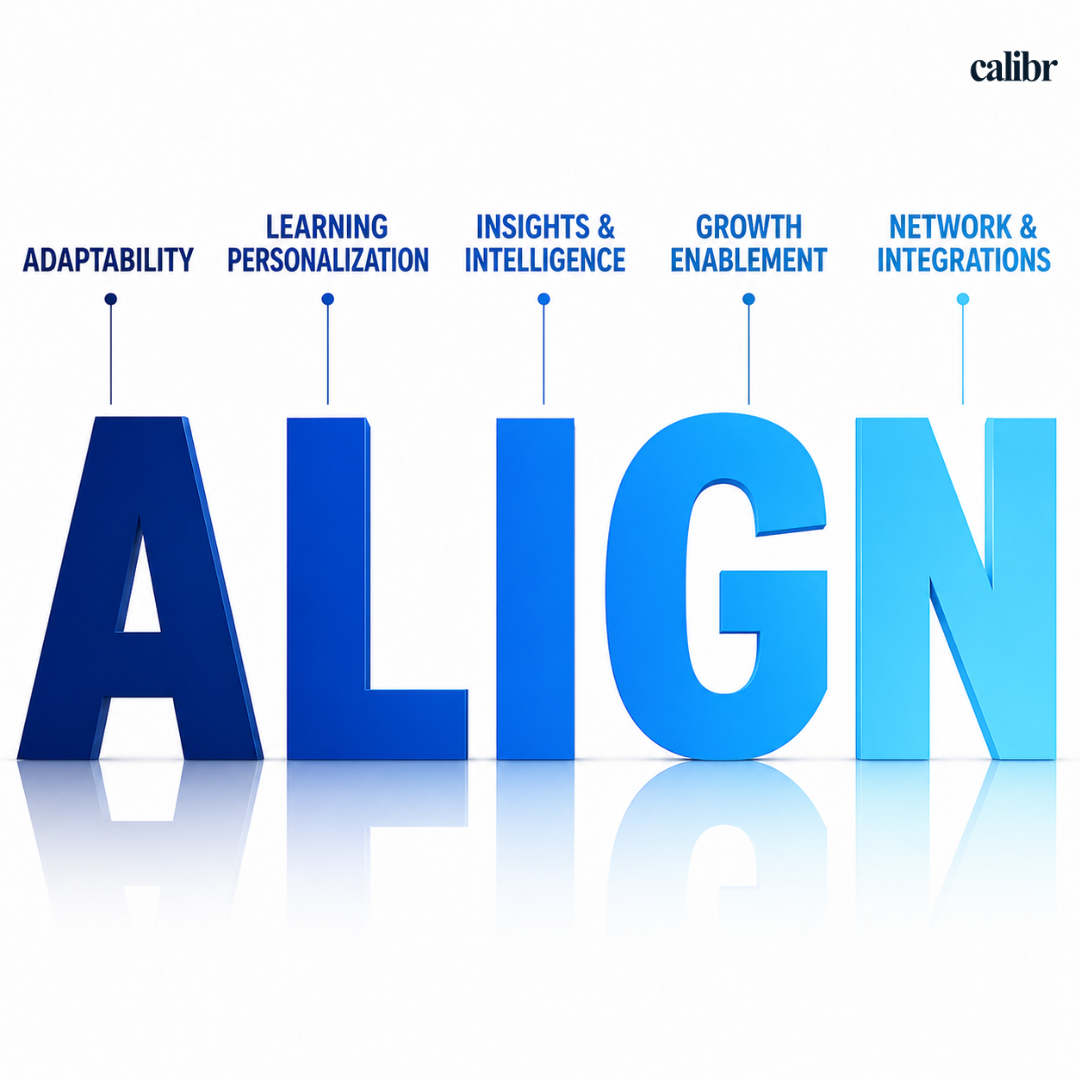
A – Adaptability
An LMS should fit your business, not the other way around. Look for:
Custom workflows (approvals, learning journeys)
Role-based configurations
Flexibility across industries and team structures
If it forces rigid processes, adoption will drop.
L – Learning Personalization
Modern learning must feel relevant to each employee. Check if the LMS:
Recommends content based on skills and roles
Supports adaptive learning paths
Avoids “one-size-fits-all” training
Personalization directly improves engagement and completion rates.
I – Insights & Intelligence
Data should drive decisions, not just sit in dashboards. Evaluate whether it:
Tracks skill progression (not just course completion)
Links learning to performance metrics
Provides actionable recommendations
If you can’t act on the data, it’s just noise.
G – Growth Enablement
Your LMS should support long-term capability building. Look for:
Career path mapping
Skill progression frameworks
Continuous learning journeys (not one-time training)
A good LMS doesn’t just train — it develops talent.
N – Network & Integrations
Your LMS should work as part of your ecosystem. Ensure it:
Integrates with HRMS, CRM, and productivity tools
Supports seamless data flow across systems
Reduces manual effort and duplication
Poor integration = operational friction + low ROI.
Common Mistakes to Avoid When Choosing an LMS in 2026
Choosing the right LMS is not just about what a platform can do—it’s about how well it fits your organization’s goals, people, and future needs.
Choosing an LMS based on features alone, without linking it to business goals
Ignoring user experience, which directly impacts adoption and engagement
Underestimating implementation time and internal resource requirements
Overlooking integration needs with existing HR and business systems
Not defining success metrics (ROI, skill growth, performance impact) early
Selecting a platform that cannot scale with future team or learning needs
Skipping pilot testing before full rollout
The right decision often comes down to avoiding these mistakes—because even a feature-rich LMS can fail if it doesn’t align with how your organization actually learns and grows.
Quick LMS Decision Matrix: Choose the Right Platform for Your Needs
Choose Docebo if:
You need a feature-heavy enterprise LMS
Budget is not a constraint
You have a dedicated admin/IT team
Choose Calibr if:
You want AI-driven skill development
You need clear ROI tracking
You prefer simple, scalable implementation
Choose Absorb LMS if:
You want a user-friendly interface
You need quick deployment
Choose TalentLMS if:
You are a small to mid-sized team
You want a budget-friendly option
Choose SAP Litmos if:
You need strong compliance and corporate training features
You want a ready-to-use course library
You operate in regulated industries
Choose Cornerstone OnDemand if:
You need a full talent management suite (not just LMS)
You manage large, global teams
You want deep enterprise HR integrations
Choose LearnWorlds if:
You are focused on selling courses online
You need strong content creation and monetization tools
You want a creator-focused platform
Frequently Asked Questions (FAQs)
What is the best alternative to docebo in 2026?
Some of the top alternatives include Calibr.ai, Absorb LMS, TalentLMS, SAP Litmos, Cornerstone OnDemand, and LearnWorlds. The right choice depends on business size, budget, and learning goals.
How do I choose the right LMS for my organization?
Focus on adaptability, personalization, analytics, and integration capabilities rather than just features.
Why do companies look for docebo alternatives?
Common reasons include pricing concerns, complexity in setup and management, and the need for more flexibility or modern features like AI-driven personalization.
How long does it take to implement an LMS?
Implementation time varies by platform and complexity. It can range from a few weeks for simpler systems to several months for enterprise-level deployments.
What features should a Modern LMS have?
A modern LMS should include AI-driven recommendations, personalized learning paths, advanced analytics, mobile accessibility, compliance management, and seamless integrations with existing systems.
How do I choose the right LMS for my organization?
Evaluate platforms based on adaptability, personalization, analytics, scalability, and integration capabilities. Align the LMS with your business goals rather than just comparing features.
Final Thoughts
The LMS market in 2026 offers more choices than ever, making it easier—but also more complex—for organizations to find the right fit. While platforms like Docebo are known for their enterprise capabilities, many businesses today prioritize ease of use, faster implementation, cost transparency, and flexibility.
This shift is driving demand for the best Docebo alternatives that can deliver modern learning experiences without operational friction.
Platforms like Calibr delivers a complete, modern learning experience without unnecessary complexity or cost.
Take the Next Step
Schedule your personalized demo - see exactly how Calibr transforms learning for your organization.
Start Your Free 14-Day Trial — full access, zero commitment, guided onboarding included.
Contact Us — Have questions? Our team is here to help you choose the right plan and get started instantly.


Vivetha is a digital marketing professional specializing in content marketing and SEO. She focuses on developing optimized, high-quality content that improves search visibility, supports brand objectives, and drives measurable results. With a structured and analytical approach, she ensures content aligns with business and audience needs.