
TL;DR / Quick Summary
While Moodle has served organizations well as an open-source learning platform, many companies are seeking modern alternatives with better user experience, advanced analytics, and streamlined administration.
This comprehensive guide explores the top 7 LMS platforms that provide superior functionality, ease of use, and ROI compared to traditional Moodle deployments.
Why Look for Moodle Alternatives?
Understanding Moodle LMS
Moodle has been one of the popular learning management systems for over two decades, particularly popular in academic institutions and organizations seeking open-source solutions. It provides strong functionality, customization options, and access to a broad developer community.
Where Moodle Falls Short
Limited modern UX → feels outdated for today’s learners
Heavy customization needed → depends on plugins/developers
Poor built-in analytics → lacks actionable insights
Not business-first → designed more for academic use
Integration complexity → APIs/plugins require effort
Mobile experience inconsistent
Scalability challenges for fast-growing teams
Quick Comparison Table: Top 7 Moodle Alternatives
Compare top Moodle alternatives at a glance. Detailed breakdown of each platform is provided below.
LMS | Key Features | Pricing | User Rating | Why It's Better |
|---|---|---|---|---|
Calibr | AI-powered personalization, Advanced real-time analytics and reporting , Mobile-first design, Seamless integrations | Custom pricing | 4.8/5 (G2) | Superior UX, intelligent automation, AI-powered personalization, enterprise scalability without complexity, seamless integrations, actionable analytics, mobile-first learning, |
TalentLMS | Easy setup, Gamification, Course marketplace | From $69/month | 4.6/5 (Capterra) | Intuitive interface for small-medium teams |
Docebo | AI learning, Social learning, Reporting features | Custom pricing | 4.4/5 (G2) | Enterprise-grade capabilities, robust ecosystem |
Absorb LMS | Customizable, E-commerce, Compliance tracking | Custom pricing | 4.6/5 (G2) | Compliance features, flexible branding |
360Learning | Collaborative learning, Peer-driven content | From $8/user/month | 4.6/5 (G2) | Enables bottom-up learning culture, social engagement |
LearnUpon | Multi-portal, White-label, Automation | Custom pricing | 4.7/5 (Capterra) | Training multiple audiences, partners |
iSpring Learn | PowerPoint integration, Rapid authoring, User-friendly | From $3.66/user/month | 4.7/5 (Capterra) | Budget-friendly, quick content creation from existing slides |
Selecting the Right LMS 2026: Make the Best Choice for Your Organization
Choosing the right Learning Management System (LMS) in 2026 is critical. Around 83% of organizations globally already use an LMS for training and development — showing the standardization of digital learning at scale.
The right LMS can drastically reduce training time and costs: e‑learning through LMS often takes 40–60% less time than traditional classroom training, while knowledge retention rises to 25–60% compared with only 8–10% in traditional formats.
For a good fit, your LMS should be scalable, user‑friendly, mobile‑compatible, and support analytics and personalization — enabling you to grow, adapt and track learning outcomes.
1. Calibr
Calibr reflects the shift toward more modern, user-friendly learning platforms, combining AI-driven capabilities with an intuitive experience. It reduces the need for heavy technical involvement while supporting stronger engagement, completion, and skill development.
Key Features
AI-powered learning paths → create personalized skill journeys based on roles, performance, and learning behavior
Advanced analytics → track real impact with insights on skill growth, engagement, and learning effectiveness—not just completion rates
Seamless integrations → easily connect with HRMS, CRM, and other business tools for a unified learning ecosystem
Business-first design → built to align learning with L&D goals, performance metrics, and organizational outcomes
Content flexibility → support multiple formats including courses, cohorts, live sessions, and blended learning experiences
Enterprise-ready UX → intuitive, scalable interface designed for easy adoption by both administrators and learners
Compliance management → automate mandatory training, track certifications, and ensure audit-ready reporting with ease
Pros & Cons
Pros:
Exceptional user experience that drives high adoption rates without extensive training
AI-driven personalization increases engagement and accelerates skill development
Comprehensive analytics provide actionable insights for continuous improvement
Minimal IT overhead with cloud-based deployment and managed updates
Responsive customer success team provides strategic guidance beyond technical support
Rapid implementation typically completed in 2-4 weeks versus months for Moodle
Strong mobile experience with gamification enables learning on the go while boosting engagement through rewards, badges, and progress tracking
Cons:
Smaller community compared to long-established platforms
Some highly specialized customizations may require vendor support
As a newer platform, some features are still evolving
When do companies usually prefer Calibr?
Companies prefer Calibr when they want a simple, scalable platform that doesn’t require heavy technical effort.
It’s ideal for teams looking to move fast—launch programs quickly, integrate with existing tools, and leverage AI-powered features to personalize learning without added complexity.
They also choose it when learning needs to drive real outcomes, not just completion rates.
2. TalentLMS
TalentLMS offers a straightforward learning platform designed for quick deployment and ease of use. The system targets small to mid-sized organizations seeking an alternative to more complex LMS solutions.
Key Features
Rapid implementation
Built-in gamification features
Course marketplace
Reporting and analytics dashboards
Video conferencing integration for live training
Mobile apps for iOS and Android
Pros & Cons
Pros:
Fast implementation process
Lower price point than enterprise solutions
Gamification features included
Customer support available
Cons:
Limited advanced customization options
Limited AI Capabilities
Basic analytics capabilities
May face scalability limitations with larger user bases
Fewer enterprise system integrations
When do companies usually prefer Talent LMS?
Companies typically choose TalentLMS when they need a simple learning platform that can be deployed quickly without technical expertise. It appeals to organizations that want essential training features, clean navigation, and straightforward administration.
However, teams needing deeper customization or more advanced learning workflows may find its capabilities limited.
3. Docebo
Docebo is an enterprise LMS that uses AI to recommend relevant content and enhance the learning experience. Organizations choose it for large-scale, complex training needs though its advanced features can add complexity and higher costs.
Key Features
AI-powered content recommendations
Analytics & Reporting capabilities
Content marketplace and integrations
Mobile learning application
Multi-language support
Pros & Cons
Pros:
AI-driven learning features
Training external audiences
Integration options with enterprise systems
Mobile learning application
Cons:
Higher pricing tier for advanced features
Implementation complexity
Longer deployment timeline
Some features require additional modules
When do companies usually prefer Docebo?
Organizations choose Docebo when they need a scalable LMS with AI-supported features and the ability to train both employees and external audiences though the platform can be complex and costly for some teams.
4. Absorb LMS
Absorb LMS offers customization options and compliance tracking features suitable for organizations with regulatory needs. It also supports white-label branding for a tailored learning environment. Some teams find the platform complex to manage without support.
Key Features
Customizable interface and workflows
Compliance tracking and certification management
E-commerce functionality
Video assessment tools
API access for integrations
Pros & Cons
Pros:
Flexibility for business requirements
Compliance features for regulated industries
E-commerce capabilities available
Customer support team
Cons:
Customization complexity
Limited AI capabilities
Active user-based pricing model
Standard mobile experience
Tiered feature access by pricing level
When do companies usually prefer Absorb LMS?
Companies often choose Absorb LMS when they need strong compliance tracking, audit-ready reporting, and configurable workflows. However, some organizations find certain areas complex to manage.
5. 360Learning
360Learning focuses on collaborative content creation and peer-driven learning. The platform enables team members to contribute training content without formal instructional design backgrounds.
Key Features
Collaborative authoring tools
Peer-to-peer learning features
Mobile-responsive design
Integration with Microsoft Teams and Slack
Automated reminder campaigns
Pros & Cons
Pros:
Rapid content creation process
Collaboration features
Social learning features
User-based pricing structure
Cons:
Requires organizational culture alignment
Less structured for compliance training
Limited AI capabilities
Limited customization options
Engagement-focused rather than outcome-focused analytics
When do companies usually prefer 360 Learning?
Companies choose 360Learning when they want to speed up training creation through collaborative course building. It works well for teams where subject matter experts contribute directly. Some organizations note that collaboration-focused models may not fit all training needs.
6. LearnUpon
LearnUpon offers a multi-portal structure designed for organizations that train different audience groups. It allows administrators to manage multiple learning portals from one central interface.
Key Features
Multiple learning portals with separate branding
Automated enrollment and user management
E-commerce functionality
SCORM and Compliance support
Single sign-on and enterprise integrations
Pros & Cons
Pros:
Multi-audience training capabilities
Workflow automation features
Customer and partner training functions
User interface design
Cons:
Active user-based pricing
Feature access by pricing tier
Standard mobile functionality
Limited AI personalization
When do companies usually prefer LearnUpon?
Organizations choose LearnUpon when they need to train multiple distinct audiences and manage them through separate portals. Its multi-portal setup helps streamline segmentation and administration though setup and management can become complex as the number of portals grows.
7. iSpring Learn
iSpring Learn combines a learning management system with iSpring Suite authoring tools. The platform enables course creation from PowerPoint presentations.
Key Features
iSpring Suite for PowerPoint-to-e-learning conversion
Course templates and interactions
Reporting and completion tracking
Mobile app for iOS and Android
Video assessments and screen recording
Pros & Cons
Pros:
Lower pricing point
PowerPoint conversion capability
Customer support
Regular updates
Cons:
Basic feature set
Limited AI capabilities
Standard analytics and reporting
Limited enterprise integrations
Restricted customization options
When do companies usually prefer iSpring Learn?
Organizations choose iSpring Learn when they want a budget-friendly LMS that leverages existing PowerPoint content but since it offers basic LMS functionality, which may not scale for advanced or large enterprise needs.
How to Choose the Right LMS: The S.K.I.L.L Framework
Choosing an LMS isn’t about features alone — it’s about how effectively it builds skills and drives outcomes. Use the S.K.I.L.L framework to evaluate your options.
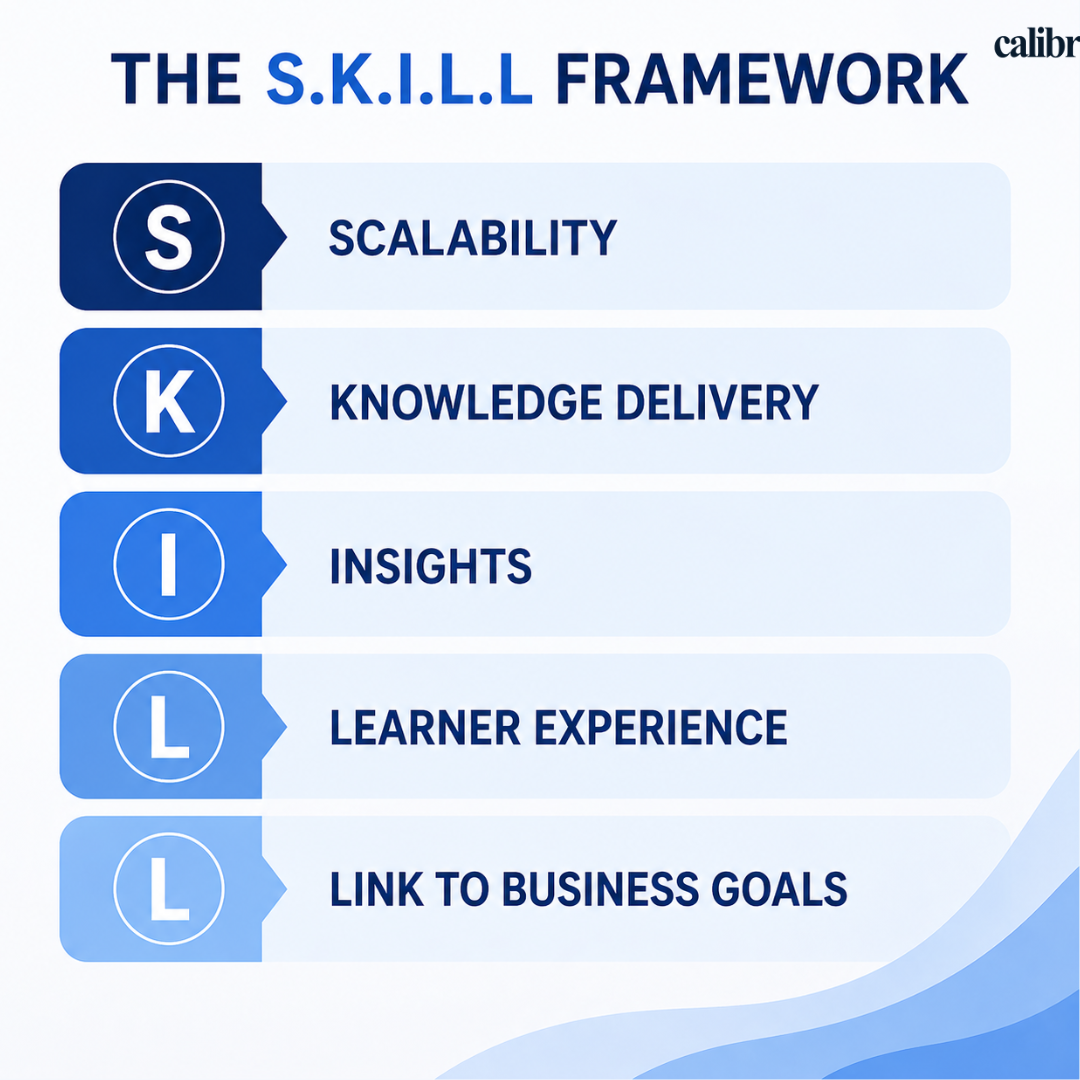
S – Scalability
Can the LMS grow with your organization?
Supports increasing users, content, and use cases
Works for both small teams and enterprise rollouts
Handles global teams without performance issues
If scaling is a priority, avoid platforms that rely heavily on manual setup or plugins.
K – Knowledge Delivery
How effectively does it deliver learning?
Supports multiple formats (videos, live sessions, cohorts, microlearning)
Enables structured learning paths, not just standalone courses
Keeps learners engaged, not just enrolled
Good LMS = not just content hosting, but learning experience design
I – Insights
Can you measure real impact?
Tracks skill development, not just course completion
Provides actionable analytics (progress, gaps, performance)
Helps L&D teams prove ROI
If you can’t measure it, you can’t improve it.
L – Learner Experience
Is it intuitive and engaging?
Clean, modern UI
Mobile-friendly and easy navigation
Minimal learning curve for both admins and users
Poor UX = low adoption, no matter how powerful the platform is.
L – Link to Business Goals
Does learning translate into outcomes?
Aligns training with business KPIs
Supports role-based or skill-based learning journeys
Connects learning with performance improvement
This is what separates basic LMS tools from strategic platforms
The best LMS doesn’t just deliver courses — it scales learning, drives engagement, provides insights, and connects directly to business outcomes.
Common Mistakes to Avoid When Choosing an LMS in 2026
Many LMS decisions fail not because of the platform—but because of how the decision is made.
Choosing based only on features instead of outcomes — focus on skill development, adoption, and business impact, not just feature lists
Ignoring implementation effort — avoid platforms that require long setup, heavy customization, or external consultants
Underestimating user experience — if it’s not intuitive, employees won’t use it consistently
Not planning for scale — ensure the LMS can handle future growth in users, content, and regions
Overlooking integrations — check if it connects smoothly with HRMS, CRM, and daily tools
Measuring only completion rates — track skill growth and performance, not just course completion
Lack of stakeholder alignment — align L&D, HR, and business goals before choosing
Avoiding these mistakes is often more important than comparing platforms—because the right LMS only works when it’s adopted, aligned, and built for long-term impact.
Quick Decision Guide: Which LMS to Choose in 2026?
Choose Moodle → if you need a free, open-source academic LMS
Choose Docebo → if you want AI-driven enterprise learning
Choose TalentLMS → if you need simple, quick deployment
Choose Absorb LMS → if UX + scalability is priority
Choose Calibr → if you want measurable business outcomes + skill tracking
Frequently Asked Questions (FAQ's)
What is the best alternative to Moodle for businesses?
For businesses, platforms like Calibr, Docebo, and Absorb LMS offer better analytics, integrations, and user experience compared to Moodle.
Why do companies move away from Moodle?
Companies often switch due to limited analytics, outdated UX, and heavy reliance on plugins.
Is Moodle suitable for corporate training?
Moodle can be used, but it is better suited for academic environments than modern enterprise learning needs.
What should I look for in an LMS?
Focus on user experience, integrations, analytics, scalability, and alignment with your training goals.
Which LMS offers the best ROI?
The LMS that delivers the best ROI is one that goes beyond course completion and helps you measure real learning impact. Platforms with strong analytics, skill tracking, and clear reporting make it easier to link training with performance and business outcomes.
How long does it take to implement an LMS?
Implementation timelines vary based on complexity, but most modern cloud-based LMS platforms can be set up within a few days to a few weeks. Simpler use cases (like basic training programs) go live faster, while enterprise setups with integrations, custom workflows, and large content migration may take longer.
Conclusion: Choosing Your Path Forward
The LMS landscape today offers far more than just content delivery. Modern platforms combine usability, scalability, and data-driven insights to help organizations improve learning outcomes and drive real business impact. The key is to choose a solution that aligns with your goals—whether that’s employee upskilling, compliance, or performance improvement.
Rather than focusing only on features, organizations should look for platforms that balance ease of use, flexibility, analytics, and long-term scalability. The right LMS should not only support your current needs but also adapt as your learning strategy evolves.
Why Consider Calibr?
Calibr combines AI-powered personalization, intuitive design, and actionable insights to help organizations build effective, outcome-driven learning programs—without added complexity.
Take the Next Step


Vivetha is a digital marketing professional specializing in content marketing and SEO. She focuses on developing optimized, high-quality content that improves search visibility, supports brand objectives, and drives measurable results. With a structured and analytical approach, she ensures content aligns with business and audience needs.