HR Reports often take too long because HR data is scattered across multiple systems, collected manually, and managed through spreadsheets.
The fastest way to improve HR reporting is to centralize HR data, standardize reporting metrics, automate data collection, and use dashboards.
Seven proven best practices include data centralization, metric standardization, automation, dashboard reporting, reusable templates, scheduled reports, and self-service analytics.
Organizations should improve their reporting process when facing rapid growth, multiple HR systems, frequent reporting requests, compliance requirements, or executive reporting needs.
Using structured HR reporting templates helps improve consistency, reduce preparation time, and deliver workforce insights faster for better business decisions.
HR Reports Taking Too Long? Here's the Real Problem
HR leaders are expected to provide workforce insights faster than ever. Yet many HR teams still spend hours—or even days—collecting data from HRIS platforms, payroll systems, recruitment tools, engagement surveys, and spreadsheets before they can create a single report.
The challenge is rarely a lack of data. Most organizations already have access to workforce information. The real issue is that data exists in multiple places, reporting processes vary across teams, and many reports are still built manually.
As organizations grow, these challenges become even more difficult to manage. Leadership expects faster answers about hiring, turnover, retention, productivity, and workforce planning, while HR teams are often stuck gathering and validating data.
The good news is that improving reporting speed does not require a complete technology overhaul. By adopting a few proven HR reporting best practices, organizations can significantly reduce reporting time while improving accuracy and consistency.
Industry Insight: Deloitte's 2024 Global Human Capital Trends report found that 71% of workers and managers are more likely to join and stay with organizations that help them thrive. This makes timely and accurate HR Reports critical for tracking workforce trends, engagement, and retention metrics that support better people decisions.
What Are HR Reports and What Do They Include?
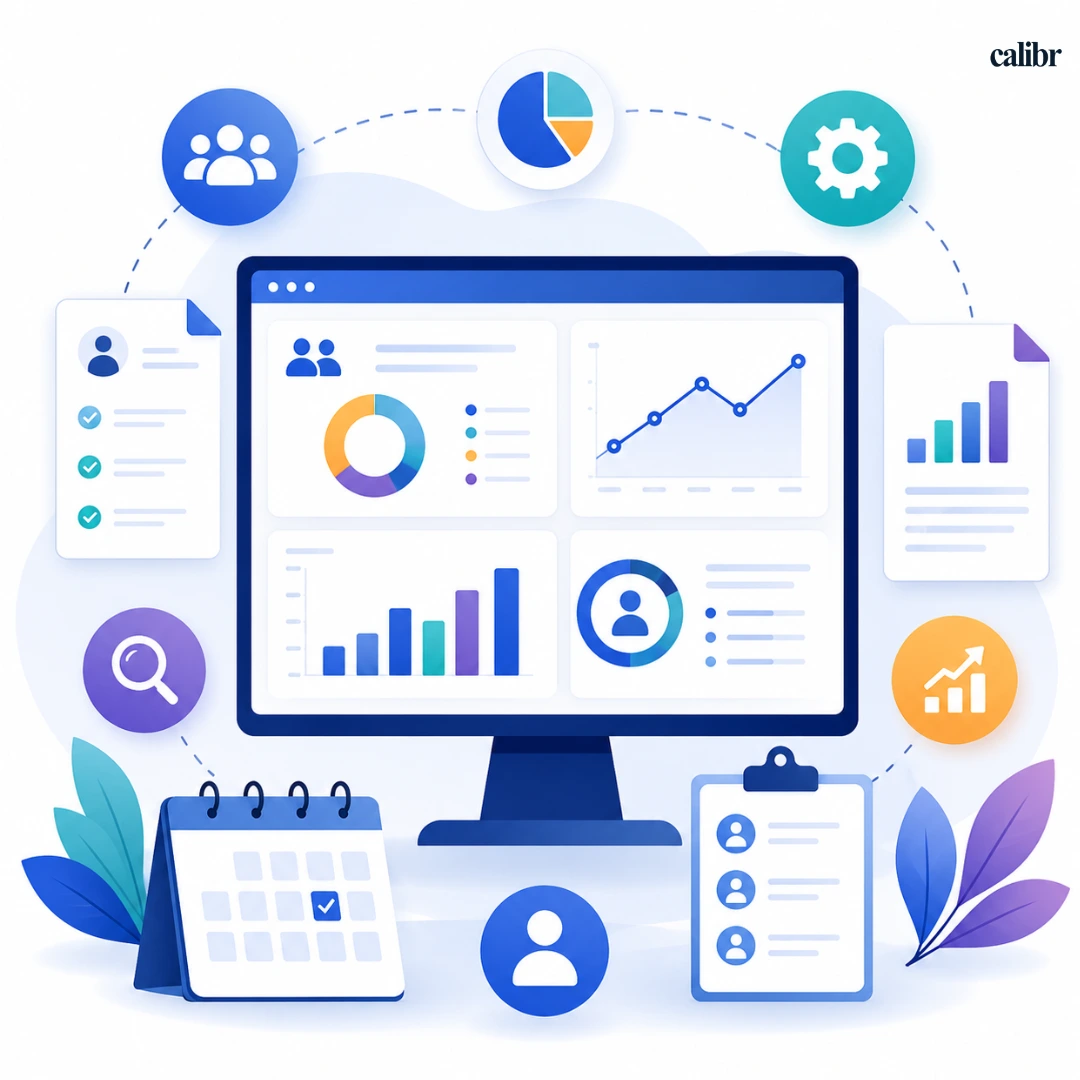
HR Reports are structured reports, dashboards, or summaries that provide insights into workforce performance, employee trends, hiring activities, engagement and retention , and other key people metrics.
Organizations use HR reports to support workforce planning, monitor HR performance, identify risks, and make informed business decisions. The effectiveness of any HR report depends on selecting the right HR metrics that align with business goals and workforce priorities.
What Is Typically Included in an HR Report?
Component | Purpose |
Headcount | Tracks workforce size and growth |
Employee Turnover | Measures employee exits |
Retention Rate | Evaluates workforce stability |
Recruitment Metrics | Tracks hiring performance |
Time-to-Fill | Measures hiring speed |
Cost-per-Hire | Assesses recruitment costs |
Employee Engagement Score | Measures workforce sentiment |
Diversity Metrics | Supports DEI initiatives |
Learning Metrics | Tracks training effectiveness |
Absenteeism Rate | Monitors attendance trends |
Expert Insight: The most valuable HR Reports focus on actionable workforce insights rather than simply presenting large volumes of employee data.
Why Does It Take So Long to Create HR Reports?
Many organizations struggle with reporting because the process is fragmented, manual, and difficult to scale.
Challenge | Why It Slows Reporting |
Data Silos | Employee data is stored across multiple systems |
Manual Collection | HR teams spend time gathering and merging data |
Spreadsheet Dependency | Multiple versions create confusion and errors |
Inconsistent Metrics | Different teams calculate metrics differently |
Ad-hoc Requests | HR repeatedly creates custom reports |
Poor Data Quality | Additional time is needed for validation |
According to SHRM research, HR professionals continue to cite administrative workload and manual processes as significant barriers to focusing on more strategic work. Streamlining reporting processes can help HR teams spend more time on workforce planning and business impact.
For example, an HR manager preparing a monthly workforce report may need to gather headcount data from an HRIS, recruitment data from an ATS, engagement scores from survey tools, and payroll information from another system. Before reporting begins, the data must be verified and consolidated.
This process becomes increasingly time-consuming as organizations scale.
Expert Insight: In most organizations, reporting delays are caused by process inefficiencies rather than a lack of reporting technology.
How to Create HR Reports Faster: 7 Proven HR Reporting Best Practices
Most reporting delays are caused by disconnected systems, manual workflows, and inconsistent reporting processes—not a lack of data. By implementing the right HR reporting practices, organizations can significantly reduce reporting effort while improving the quality of workforce insights.
Here are seven proven strategies used by high-performing HR teams to create HR Reports faster and more efficiently.
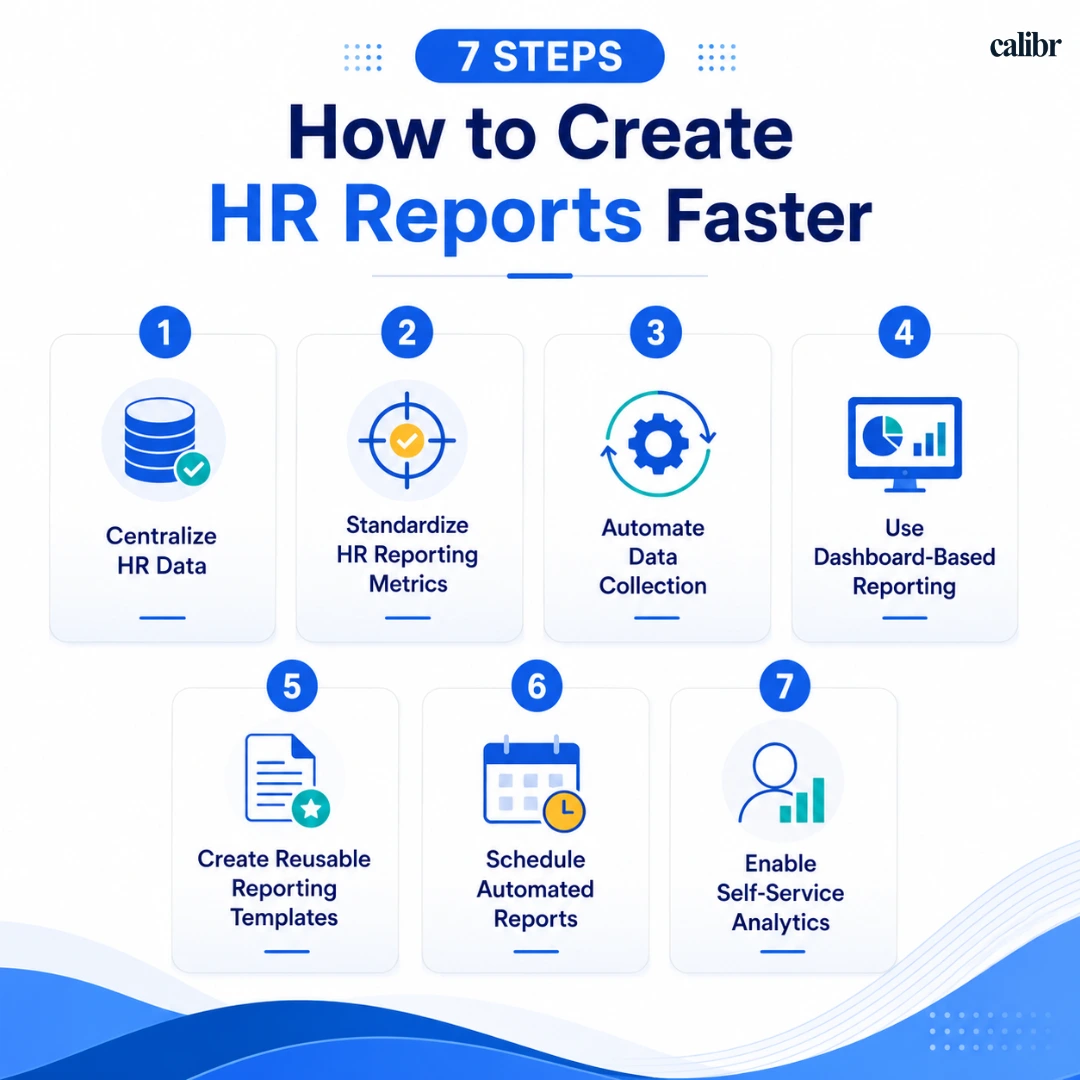
1. Centralize HR Data
Why It Matters
When workforce data exists in multiple systems, reporting becomes slow and error-prone.
How to Do It
Create a single source of truth by integrating HRIS, payroll, ATS, performance management, and learning systems.
Real-World Scenario
A company with separate recruitment and HR systems often spends hours combining hiring and workforce data. Centralization eliminates this manual effort.
Expected Outcome
Faster report generation
Improved data accuracy
Better workforce visibility
2. Standardize HR Reporting Metrics
Why It Matters
Different departments often define turnover, retention, or hiring metrics differently.
How to Do It
Establish standardized HR reporting metrics and ensure everyone uses the same formulas and definitions.
Real-World Scenario
One department reports turnover as total exits while another reports only voluntary exits. Standardization removes confusion.
Expected Outcome
Consistent reporting
Reliable benchmarking
Faster approvals
3. Automate Data Collection
Why It Matters
Manual exports and spreadsheet consolidation consume valuable HR time.
How to Do It
Use integrations and automation workflows to automatically collect workforce data.
Modern HR reporting tools can pull information directly from connected systems.
Real-World Scenario
Instead of downloading reports from five platforms every month, HR teams can automatically sync data into one reporting environment.
Expected Outcome
Reduced manual effort
Fewer reporting errors
Faster reporting cycles
4. Use Dashboard-Based Reporting
Why It Matters
Static reports quickly become outdated.
How to Do It
Implement HR dashboard software that updates workforce metrics automatically. Many organizations use HR dashboards to monitor workforce KPIs, recruitment performance, retention trends, and employee engagement metrics in real time.
Real-World Scenario
An HR operations team preparing leadership updates can monitor headcount, turnover, hiring progress, and engagement metrics through a single dashboard.
Industry Insight: According to Gallup, highly engaged teams experience 23% higher profitability compared with less engaged teams. Faster access to workforce metrics through dashboards helps leaders identify engagement trends and take action sooner.
Expected Outcome
Real-time visibility
Faster executive reporting
Better workforce decisions
5. Create Reusable Reporting Templates
Why It Matters
Rebuilding reports from scratch every month wastes time.
How to Do It
Develop standardized templates for monthly, quarterly, and executive reporting.
Real-World Scenario
Instead of redesigning workforce reports every month, HR teams simply update the latest data.
Expected Outcome
Consistent report formatting
Reduced preparation time
Improved reporting efficiency
6. Schedule Automated Reports
Why It Matters
Many stakeholders repeatedly request the same information.
How to Do It
Use HR reporting software to automatically deliver reports at predefined intervals.
Real-World Scenario
Monthly workforce summaries can be sent automatically to leadership without HR manually creating and distributing reports.
Expected Outcome
Faster delivery
Reduced administrative work
Improved stakeholder experience
7. Enable Self-Service Analytics
Why It Matters
HR teams often become the bottleneck for reporting requests.
How to Do It
Allow managers and leaders to access approved dashboards and workforce insights independently.
Many advanced HR reporting tools provide self-service capabilities.
Real-World Scenario
Instead of emailing HR for headcount updates, managers access real-time dashboards whenever needed.
Expected Outcome
Fewer ad-hoc requests
Faster access to data
More strategic HR operations
When Should Organizations Improve Their HR Reporting Process?
Organizations should adopt these practices whenever reporting becomes slow, inconsistent, manual, or difficult to scale.
Situation | Recommended Approach | Business Benefit |
Rapid hiring growth | Automate recruitment reporting | Faster hiring insights |
Multiple HR systems | Centralize workforce data | Better reporting accuracy |
Executive reporting needs | Use dashboard-based reporting | Faster decision-making |
High employee turnover | Standardize retention reporting | Better workforce planning |
Compliance reporting | Automate report generation | Reduced risk |
Global workforce management | Implement centralized HR reporting software | Consistent reporting |
Increasing reporting requests | Enable self-service analytics | Reduced HR workload |
These situations commonly occur as organizations expand, making scalable HR reporting processes essential.
Free HR Reporting Templates
Different HR Reports serve different business goals. A recruitment team may focus on hiring metrics, while leadership teams may need workforce planning and retention insights. Use the templates below as starting points and customize them based on your organization's requirements.
Template 1: Executive HR Summary Report
Metric | Current Value | Previous Period | Target | Status |
Headcount | ||||
Employee Turnover | ||||
Retention Rate | ||||
Engagement Score | ||||
Time-to-Fill |
Best for: HR leaders, CHROs, and executive reporting.
Template 2: Recruitment Performance Report
Metric | Current Month | Previous Month | Target |
Open Positions | |||
Applications Received | |||
Interviews Conducted | |||
Time-to-Fill | |||
Cost-per-Hire |
Best for: Talent acquisition and recruitment teams.
Template 3: Employee Retention Report
Metric | Current Value | Previous Period | Trend |
Employee Turnover Rate | |||
Retention Rate | |||
Voluntary Exits | |||
Internal Promotions | |||
Average Employee Tenure |
Best for: Workforce planning and retention analysis.
Template 4: Employee Engagement Report
Metric | Current Score | Previous Score | Target |
Overall Engagement Score | |||
Manager Satisfaction | |||
Employee Net Promoter Score (eNPS) | |||
Participation Rate | |||
Recognition Score |
Best for: Employee experience and engagement initiatives.
Template 5: Learning and Development Report
Metric | Current Value | Previous Period | Target |
Training Completion Rate | |||
Average Training Hours | |||
Certification Completion Rate | |||
Skill Development Progress | |||
Learning Participation Rate |
Best for: Learning and development teams.
Note:
There is no universal HR reporting template. The ideal format depends on the report's purpose, audience, and business objective. Recruitment reports prioritize hiring metrics, retention reports focus on workforce stability, engagement reports measure employee sentiment, while executive HR Reports provide a high-level view of workforce performance across the organization.
Frequently Asked Questions (FAQs)
What are HR reports?
HR Reports are structured summaries of workforce data that help organizations monitor hiring, retention, employee engagement, workforce costs, and overall HR performance.
How often should HR reports be created?
Most organizations create monthly operational reports, quarterly strategic reports, and annual workforce reviews. High-priority metrics may be monitored weekly through dashboards.
What metrics should be included in HR reports?
Common metrics include headcount, employee turnover, retention rate, time-to-fill, cost-per-hire, engagement scores, diversity metrics, and absenteeism rates.
How can HR reporting be automated?
Organizations can automate HR reporting by integrating HR systems, using automation workflows, implementing dashboards, and scheduling recurring reports.
What are the best HR reporting tools?
The best solution depends on organizational needs. Common options include HRIS reporting platforms, workforce analytics solutions, business intelligence tools, and dedicated HR reporting software.
Key Takeaways
Centralized workforce data significantly improves reporting speed.
Standardized HR reporting metrics improve consistency and accuracy.
Automation reduces manual effort and reporting errors.
Dashboard-based reporting provides real-time workforce visibility.
Self-service analytics helps HR teams scale reporting efficiently.
Industry Insight: LinkedIn's Workforce Reports consistently show that organizations are investing more in people analytics, workforce intelligence, and talent insights. This trend reinforces the growing importance of fast, reliable HR reporting for hiring, retention, and workforce planning decisions.
Final Thoughts
Creating accurate HR Reports should not require days of manual effort. As workforce data grows, organizations need reporting processes that are scalable, consistent, and efficient.
The most effective HR teams simplify reporting by centralizing data, automating collection processes, standardizing metrics, and leveraging modern reporting solutions. By following these seven proven best practices, HR leaders can reduce reporting time, improve data quality, and deliver workforce insights faster.
Ultimately, faster reporting is not just about saving time. It is about giving decision-makers access to the workforce intelligence they need to improve hiring, retention, employee experience, and overall business performance.


Vivetha is a digital marketing professional specializing in content marketing and SEO. She focuses on developing optimized, high-quality content that improves search visibility, supports brand objectives, and drives measurable results. With a structured and analytical approach, she ensures content aligns with business and audience needs.